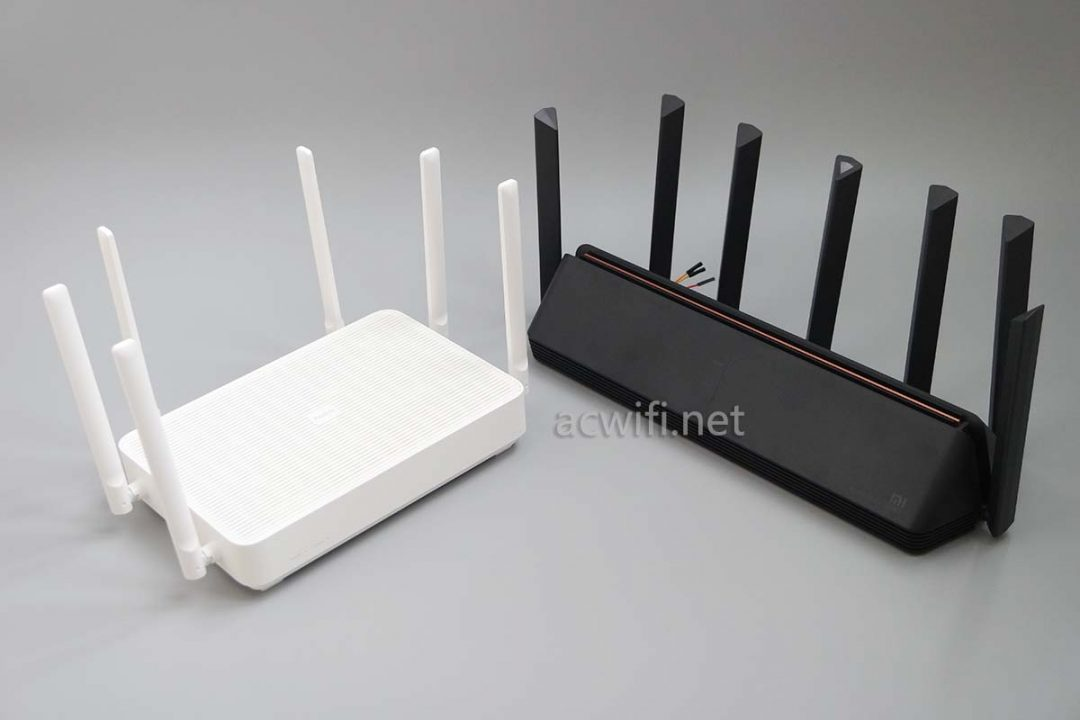
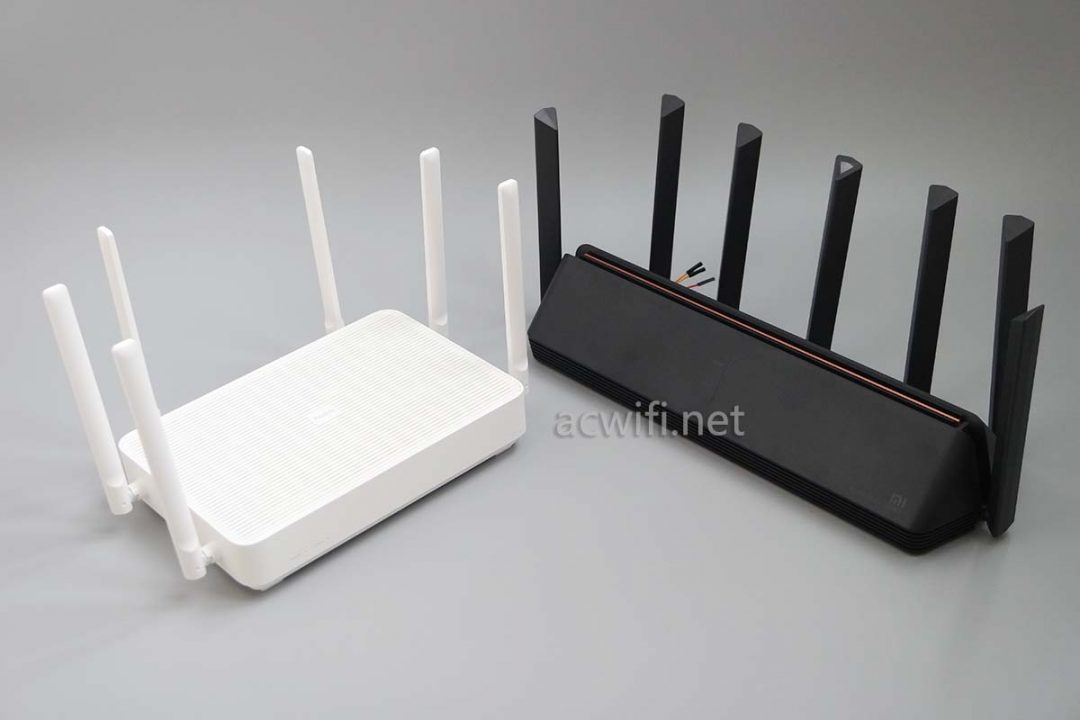
(Photo from acwifi.net )
Hardware Spec
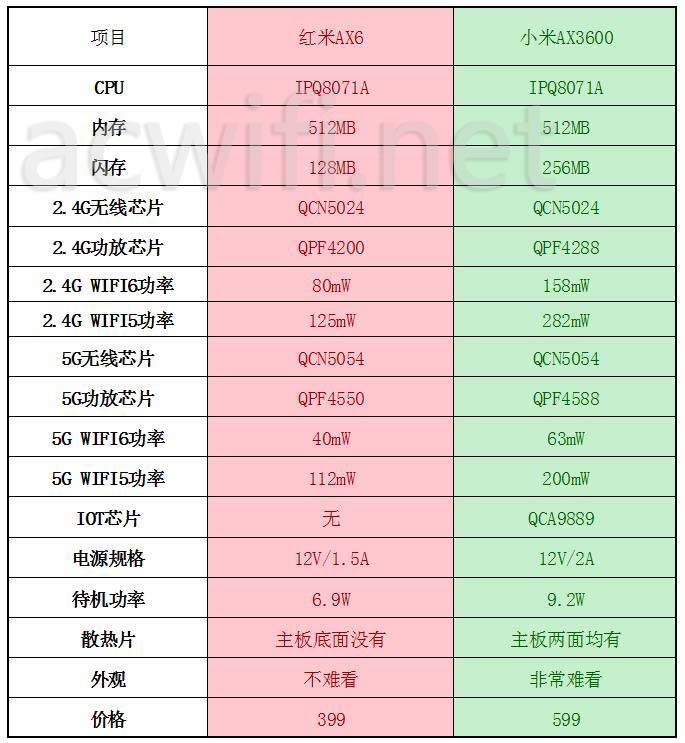
(Photo from acwifi.net )
Xiaomi AX3600 and AX6 are both IPQ8071A based WiFi6 router released in 2020, here are some hacking tutorials collected from Internet.
Link to Files&Tools needed
AX3600-SSH and Telnet
Downgrade to 1.0.17 firmware
Login to 192.168.31.1 webpage, copy
stokfrom URL, for example:http://192.168.31.1/cgi-bin/luci/;stok=776655a7c3d2605a2e708b25e4751955/web/homeReplace
stokvalue in this URL:http://192.168.31.1/cgi-bin/luci/;stok=<STOK>/api/misystem/set_config_iotdev?bssid=Xiaomi&user_id=longdike&ssid=-h%3B%20nvram%20set%20ssh_en%3D1%3B%20nvram%20commit%3B%20sed%20-i%20's%2Fchannel%3D.*%2Fchannel%3D%5C%22debug%5C%22%2Fg'%20%2Fetc%2Finit.d%2Fdropbear%3B%20%2Fetc%2Finit.d%2Fdropbear%20start%3BVisit this edited URL in your browser, and if it works, the webpage will return:
{"code":0}Now prepare the 2nd URL:
http://192.168.31.1/cgi-bin/luci/;stok=<STOK>/api/misystem/set_config_iotdev?bssid=Xiaomi&user_id=longdike&ssid=-h%3B%20echo%20-e%20'admin%5Cnadmin'%20%7C%20passwd%20root%3BVisit 2nd URL again in your browser, and if it works, the webpage will return:
{"code":0}Now you get SSH access to your router, with username
rootand passwordadminIf you want permanent SSH and Telnet access, without being overwritten during firmware upgrade, you can use this tool:
mitool_arm64(from wujiajie.top)mitool_arm64 unlock, this will unlockmtdaccess, then reboot your routermitool_arm64 hackand yourmtd9will be edited to give you permanent ssh access, along with the default ssh password(calculated from SN)
AX3600-Resizing your Filesystem
AX3600 comes with 256MB size of big NAND, but with Xiaomi's A/B dual system image design, you'll only have half of the space available. And if you use official image from Xiaomi, you only get 30MB of free space to use, which left 130M+ storage space unused. Here's steps to mount extra space from Xiaomi AX3600 免拆机搞事 - OpenWrt开发者之家
Check
APPSBLpartition atmtd7:root@XiaoQiang:~# cat /proc/mtd dev: size erasesize name mtd0: 00100000 00020000 "0:SBL1" mtd1: 00100000 00020000 "0:MIBIB" mtd2: 00300000 00020000 "0:QSEE" mtd3: 00080000 00020000 "0:DEVCFG" mtd4: 00080000 00020000 "0:RPM" mtd5: 00080000 00020000 "0:CDT" mtd6: 00080000 00020000 "0:APPSBLENV" mtd7: 00100000 00020000 "0:APPSBL" mtd8: 00080000 00020000 "0:ART" mtd9: 00080000 00020000 "bdata" mtd10: 00080000 00020000 "crash" mtd11: 00080000 00020000 "crash_syslog" mtd12: 023c0000 00020000 "rootfs" mtd13: 023c0000 00020000 "rootfs_1" mtd14: 01ec0000 00020000 "overlay" mtd15: 00080000 00020000 "rsvd0" mtd16: 0041e000 0001f000 "kernel" mtd17: 0160a000 0001f000 "ubi_rootfs" mtd18: 01876000 0001f000 "data"Make a backup:
nanddump -f /tmp/APPSBL /dev/mtd7Then use WinSCP copy this backup APPSBL to your local PC
Upload modified
APPSBL_sign, check MD5 value is41d91e1dc98e284086dfb17ebcb4b8ee:root@XiaoQiang:~# md5sum /tmp/APPSBL_signed 41d91e1dc98e284086dfb17ebcb4b8ee /tmp/APPSBL_signedWrite new APPSBL
mtd write /tmp/APPSBL_signed /dev/mtd7root@XiaoQiang:~# mtd write /tmp/APPSBL_signed /dev/mtd7 Unlocking /dev/mtd7 ... Writing from /tmp/APPSBL_signed to /dev/mtd7 ...Readout new APPSBL to double check MD5 value is
0F0142B626067463E906B7F1D5903EF3(MD5 changed because of dummy data appended)nanddump -f /tmp/APPSBL_cur /dev/mtd7 md5sum /tmp/APPSBL_curReboot your router, and if it boots, you successfully updated patched UBOOT
Edit
nvramsettings:nvram set boot_wait=onTo make sure if shit happens, you can use TTL to de-brick your router.
nvram set 'extrabootargs=ubi.mtd=overlay ubi.mtd=test mtdparts=qcom_nand.0:512k@6656k(0:APPSBLENV),512k@8m(0:ART),512k(bdata),36608k@10m(rootfs),36608k(rootfs_1),31488k(overlay),146688k@115456k(test)'nvram commitRead out extrabootargs to double check:
root@XiaoQiang:~# nvram get extrabootargs ubi.mtd=overlay ubi.mtd=test mtdparts=qcom_nand.0:512k@6656k(0:APPSBLENV),512k@8m(0:ART),512k(bdata),36608k@10m(rootfs),36608k(rootfs_1),31488k(overlay),146688k@115456k(test)Reboot your router, check new mount layout:
root@XiaoQiang:~# mount
mtd:ubi_rootfs on /rom type squashfs (ro,relatime)
proc on /proc type proc (rw,nosuid,nodev,noexec,noatime)
sysfs on /sys type sysfs (rw,nosuid,nodev,noexec,noatime)
cgroup on /sys/fs/cgroup type cgroup (rw,nosuid,nodev,noexec,relatime,cpuset,cpu,cpuacct,blkio,memory,devices,freezer,net_cls,pids)
tmpfs on /tmp type tmpfs (rw,nosuid,nodev,noatime)
/dev/ubi2_0 on /overlay type ubifs (rw,noatime)
overlayfs:/overlay on / type overlay (rw,noatime,lowerdir=/,upperdir=/overlay/upper,workdir=/overlay/work)
ubi1_0 on /data type ubifs (rw,relatime)
ubi1_0 on /userdisk type ubifs (rw,relatime)
overlayfs:/overlay on /userdisk/data type overlay (rw,noatime,lowerdir=/,upperdir=/overlay/upper,workdir=/overlay/work)
ubi1_0 on /etc type ubifs (rw,relatime)
ubi1_0 on /ini type ubifs (rw,relatime)
tmpfs on /dev type tmpfs (rw,nosuid,relatime,size=512k,mode=755)
devpts on /dev/pts type devpts (rw,nosuid,noexec,relatime,mode=600,ptmxmode=000)
debugfs on /sys/kernel/debug type debugfs (rw,noatime)
AX6-SSH and Telnet
Prepare a second Openwrt router
Download scripts and tools from: https://github.com/shell-script/unlock-redmi-ax3000
Upload
wireless.shto Openwrt router and execute, you'll get a new WiFi with SSID:MEDIATEK-ARM-IS-GREATUse wired connection to your AX6, login to webpage
192.168.31.1, and copy theSTOKvalueEdit and visit this URL:
192.168.31.1/cgi-bin/luci/;stok=<STOK>/api/misystem/extendwifi_connect?ssid=MEDIATEK-ARM-IS-GREAT&password=ARE-YOU-OKIf the connection is made, the webpage will return:
successEdit and visit this URL:
192.168.31.1/cgi-bin/luci/;stok=<STOK>/api/xqsystem/oneclick_get_remote_token?username=xxx&password=xxx&nonce=xxxNow you get SSH access to your router, with username
rootand passwordadminTo get permanent access to Telnet and SSH:
Upload
fuckax3000,ax3000.shfrom github repo, to your route's/etcfolderThen make a backup:
sh /etc/ax3000.sh dumpvisit http://192.168.31.1/backup/log/bdata_mtd9.img to downloadsh /etc/ax3000.sh unlockand your router will reboot automaticallysh /etc/ax3000.sh hackand your router will reboot again, with telnet enabledTelnet into your router using root/admin, then execute:
sed -i 's/channel=.*/channel="debug"/g' /etc/init.d/dropbear /etc/init.d/dropbear startYou'll get your SSH access again.
AX6-Mount OverlayFS
AX6 comes with 128MB NAND, thus it's easier to mount overlay, without needing to modify UBOOT.
sh /etc/ax3000.sh mountand router will rebootsh /etc/ax3000.sh keeprouter will reboot again, you'll have R/W access to your overlay
AX6/AX3600 1G RAM Modding
TBD
Misc
SSH default password
Use this link to calculate ssh default password from SN:
Update opkg feed
Edit
/etc/opkg/distfeeds.confAX6:
src/gz openwrt_base http://downloads.openwrt.org/snapshots/packages/aarch64_cortex-a53/base
src/gz openwrt_luci http://downloads.openwrt.org/snapshots/packages/aarch64_cortex-a53/luci
src/gz openwrt_packages http://downloads.openwrt.org/snapshots/packages/aarch64_cortex-a53/packages
src/gz openwrt_routing http://downloads.openwrt.org/snapshots/packages/aarch64_cortex-a53/routing
AX3600:
src/gz openwrt_base http://downloads.openwrt.org/releases/18.06.9/packages/aarch64_cortex-a53/base
src/gz openwrt_luci http://downloads.openwrt.org/releases/18.06.9/packages/aarch64_cortex-a53/luci/
src/gz openwrt_packages http://downloads.openwrt.org/releases/18.06.9/packages/aarch64_cortex-a53/packages/
src/gz openwrt_routing http://downloads.openwrt.org/releases/18.06.9/packages/aarch64_cortex-a53/routing/
Useful packages to install
tmuxiperf3zerotier
若无法加载请检查网络环境。
若无法加载请检查网络环境,或切回 Disqus 稍后再试。